
Why calculators are a smart first niche
If you want a business idea that feels more like a clear path than a gamble, calculators are a strong place to begin. A site like calculator.com keeps things simple. Each page solves one small problem, fast. A visitor lands, enters a few numbers, gets an answer, and leaves satisfied. That kind of intent is perfect for search.
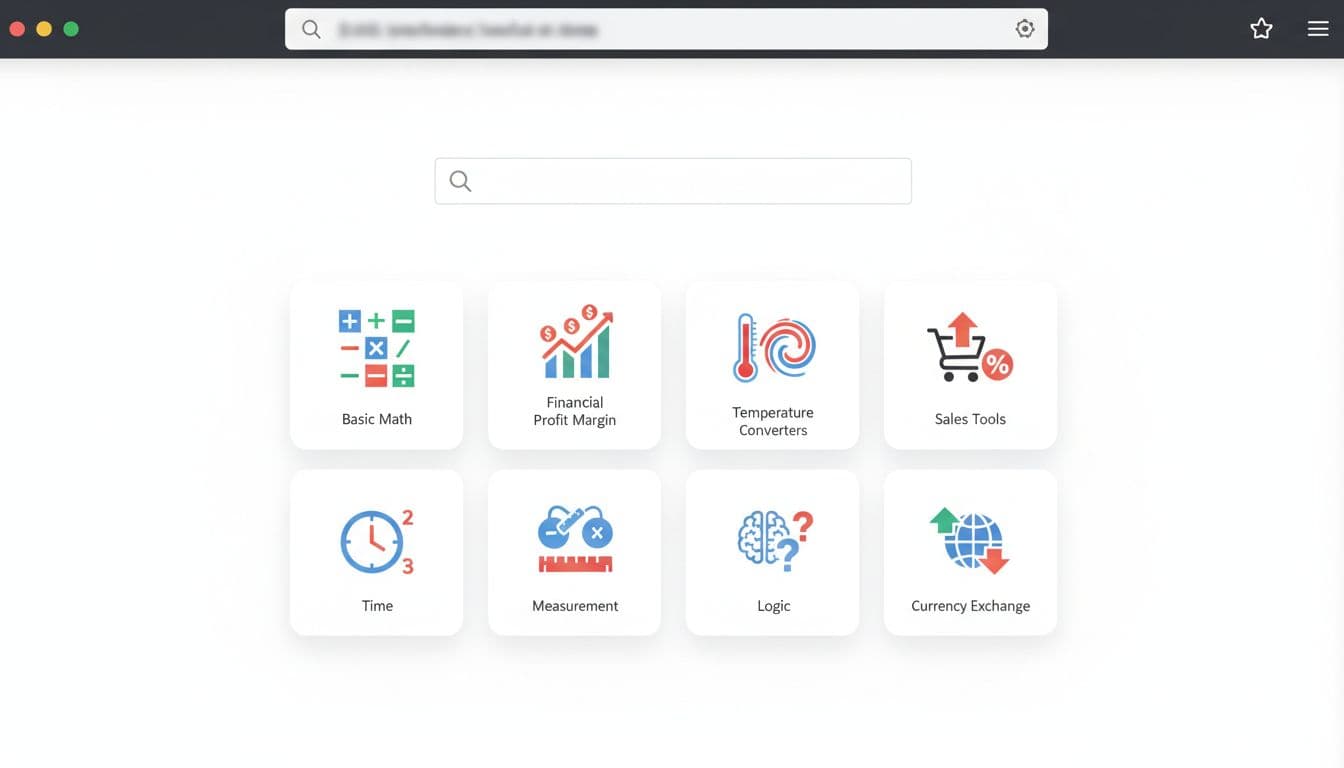
An example of the kind of multi-calculator site model this approach is based on.
The example highlighted here points to some eye-opening numbers. The site is presented as getting around 8 million monthly visitors, which is roughly 80 lakh. It also shows about 2 million visits in one week, from December 1 to December 7. That matters because it proves something simple, these tools aren't niche in the small sense. They're everyday utilities people search for again and again.
A few ranking examples make the model even clearer:
- Retail profit margin calculator
- Adding machine calculator
- Exponential notation converter
These aren't flashy keywords. They're practical. That's exactly why they work. A user types the problem, sees a matching page, and clicks.
The revenue example is just as interesting because it doesn't depend on huge traffic. It uses a smaller scenario, around 100,000 visitors per month, not 8 million. From there, the math becomes easier to picture.
Here's the rough model used in the example:
| Metric | Value |
|---|---|
| Monthly visitors | 100,000 |
| Average page visits per visitor | 2 |
| Ads per page | 2 |
| CPM | $20 |
| Estimated monthly ad revenue | $8,000 |
The takeaway is simple. You don't need a giant media brand to make this work. A focused utility site can earn because each page answers a clear need. Also, one calculator doesn't have to carry the whole site. A collection of useful tools can do the heavy lifting together.
The first tool to build: a retail profit margin calculator
Among all the possible calculators, a retail profit margin calculator is a smart first build. It has clear inputs, a clear output, and real business use. A shop owner, reseller, freelancer, or beginner in e-commerce can all understand the value in seconds.
At its core, the tool takes numbers like cost price and selling price and turns them into useful margin insights. The version described here also supports reverse calculations and currency selection, which makes it feel more complete without making the build too hard.
That balance matters. If your first project is too broad, you spend days polishing features nobody asked for. If it's too narrow, it may not get enough search demand. This one lands in a good middle zone. It's useful enough to attract attention, yet simple enough to build quickly.
There's another benefit. You can model it after an existing calculator page and rebuild the same core flow with your own design and code. In other words, you're not starting from a blank screen. You're starting from a proven format.
A good first version should do three things well. It should accept clean number inputs, calculate results correctly, and present the answer in a way that feels easy to trust. Fancy design can wait. Accuracy can't.
This is where the idea to income process gets practical. You're not trying to invent a new market. You're trying to create a working tool that solves a common task, then publish it in a way search engines and users can understand.
How to build the calculator with v0
The tool shown in this workflow is v0 by Vercel. The appeal is obvious. You describe what you want, the app builder starts generating the interface and code, and then you refine it step by step. For a first tool, that cuts down the usual friction.
Start with a plain, specific prompt
The easiest way to begin is to study the calculator you want to recreate, then turn its key features into a short description. You don't need a huge prompt. You need a clear one.
For example, you can describe a retail profit margin calculator with inputs for cost price and selling price, result cards for margin values, a reverse mode, and support for multiple currencies. If you want a stronger prompt, you can refine the wording before pasting it into the builder.
The important part is being direct. Say what the tool does, what fields it needs, and what results the user should see. If the platform asks follow-up questions, answer them with the same level of clarity. That extra round often improves the output a lot.
Improve the app one version at a time
The first version usually gives you the skeleton. That's useful, but it isn't the final product. The better approach is to build in rounds.
- Generate the first version with the basic calculator flow.
- Add missing functions, such as reverse calculation or currency support.
- Check the layout, labels, and result logic.
- Test edge cases before publishing.
That last part is easy to skip, but it matters most. A calculator that looks polished but gives weak results won't last. A rough-looking tool with correct answers has a much better chance.
Don't publish the first version just because it runs. Publish when the inputs are clear, the calculations are correct, and the page doesn't break under simple tests.
By the end of this phase, you want a tool that behaves like a real product, not a demo. The example here shows a working calculator that can handle different calculation modes and currencies, which is more than enough for a strong first release.
What the finished tool should include
A good release doesn't need endless features. It needs the right ones. For this calculator, that means clean inputs, correct calculations, and a result area that updates without confusion.
A practical feature set includes cost and selling price inputs, a result for profit margin, optional reverse calculations, and a currency selector. That's already enough for a useful page. If you want to expand later, you can add explanations, examples, or related tools.
Once the app is ready, download the code or connect it through GitHub if that option is available. The point isn't just to see the tool on screen. The point is to own the files so you can launch them on your own domain.
How to launch the tool on your own domain
Publishing is where many first-time builders get nervous, yet this part can be very simple if your calculator is a front-end tool. Since it doesn't need to store user data, you usually don't need a heavy back end or a large database.
Generate the production files
After reviewing the code, open the project in VS Code if that's part of your workflow. Then build the production version. The command used in this process is npm run build.
That command creates the files you'll actually upload to hosting. The key output is the dist folder. Think of it as the packed version of your app, ready for the public web.
Before you upload anything, preview the app if your setup gives you public URLs. A quick preview helps you catch layout bugs, broken inputs, or missing assets while the project is still easy to edit.
Upload the right files to hosting
If you already have hosting, great. If not, a low-cost plan like Hostinger web hosting is often enough for a simple calculator site.
The main rule is easy to remember. Put the correct files in the correct folder.
- Open your hosting file manager.
- Go to the domain's
public_htmlfolder. - Upload the files from your
distfolder there. - Refresh the domain and test the live page.
If you see a 403 Forbidden error, the problem is often placement. The files may be sitting in the wrong folder, or the folder structure may be off.
If your site doesn't load, check
public_htmlfirst. A perfectly built calculator still won't open if the production files aren't in the live root directory.
This kind of project is light on storage because there isn't much to save. No user accounts, no complex dashboard, no large database. That makes it a good first launch for anyone who wants a working site without a lot of server setup.
How to bring traffic with SEO, not guesswork
A calculator site grows best when it grows page by page. One domain can hold many small tools, and each tool can target a different search need. That's the real strength of this model. You don't need one viral page. You need a library of useful pages.
Start with a domain that clearly matches the site's purpose. If the word "calculator" fits naturally in the domain name, that can make the site easier to understand at a glance. Then organize the site with clean categories. For example, you might group tools into financial calculators, sales margin calculators, converters, and basic math tools.
Each calculator should have its own page. That's important because search users usually want one direct result. A person searching for a retail profit margin calculator doesn't want a homepage with twenty distractions. They want that exact tool.
This structure also makes it easier to scale. Build one tool, publish it, test it, then move to the next. Over time, your site becomes a collection of pages that each answer a specific query. That's how the idea to income model becomes repeatable instead of random.
If you want to estimate how search demand might translate into visitors, a simple website traffic estimator can help you think through the numbers. It won't replace real results, but it can help you plan better.
The larger lesson is simple. Utility content works because it respects intent. People search with a need, and a good calculator page answers that need in seconds.
Turn one simple tool into a repeatable business model
The best part of this method is that it doesn't stop at one calculator. Once you've built, launched, and organized your first tool, the rest becomes a pattern. Find a proven search term, recreate the core function, polish the experience, publish the page, and repeat.
That makes this a strong path for developers, solo founders, and side-income builders who want something grounded. You don't need to chase a huge app idea on day one. You need one page that solves one real problem well.
A retail profit margin calculator is a smart start because it's practical, searchable, and easy to ship. From there, the path gets clearer. Build a second tool, then a third, and let a small site grow into something people return to. That's how idea to income starts to feel less like theory and more like a working system.